According to 72% of brand managers, they’ve missed important mentions because of lagging alerts. But it’s not easy to find the right X (Twitter) monitoring tool for you that actually provides instant alerts without false alarms. Many of these platforms claim to offer real-time notifications but often drown you in irrelevant results or cost a fortune for features like keyword tracking or basic sentiment analysis. There are sometimes big gaps between their marketing claims and the real-time alert speed you can get, and this difference can affect your customer’s trust in a crisis.
We reviewed X (Twitter) monitoring services based on how well they can provide instant alerts, their sentiment analysis capabilities, and the transparency of their pricing to help guide your selection. We evaluated five tools to see how they perform at managing keywords, brand mentions, and competitive intelligence. Two of them were exceptional at providing almost real-time alerts but offered limited monitoring depth, whereas the other three provided in-depth analysis but only with hidden price tags (or a demo from their sales team).
We then assessed each platform based on speed and accuracy of alerting, sentiment analysis, price transparency, integrations and ease of use. Here’s how the top 5 tools compare in brief:
Quick Comparison
Scan this table to see how each platform balances alert speed, sentiment capabilities, and target audience.
| Platform | Real-Time Alerts | Sentiment Analysis | Best For | Price Range |
|---|---|---|---|---|
| Twilert | Fast keyword-based delivery | Basic mention tracking | Solo marketers, quick setup | Free + Paid tiers |
| Media Watcher | Instant AI-powered notifications | Advanced AI sentiment engine | Brand monitoring teams | Custom quote |
| Sprout Social | Multi-platform unified alerts | Cross-channel analytics dashboard | Social media teams | Starting 9/seat/mo |
| Brand24 | Global real-time monitoring | Multi-language sentiment scoring | Competitor tracking, PR teams | From /mo |
| Meltwater | Enterprise-scale data feeds | Integrated media intelligence | Large PR, comms departments | Enterprise pricing only |
What Are X (Twitter) Monitoring Tools?
X (Twitter) monitoring tools (or “listening tools”) are like your personal radar for everything that matters on X. Instead of just seeing what’s happening on your own account, these tools give you the power to track mentions, hashtags, and key topics related to your brand, industry, or interests.
Think of them as reliable ways to stay on top of all the conversations that could impact your business—whether it’s feedback from customers, emerging trends, or what competitors are up to. If you watch these discussions closely, you’ll get a better sense of how people feel and can quickly tweak your strategy.
In other words, you won’t miss a beat, and you’ll always know what’s happening in your space, giving you the edge to act quickly and respond smartly.
If you don’t want to rely solely on ready-made tools, partnering with nearshore software development companies can help build custom monitoring solutions tailored to your needs.
Why Tracking Your Brand on X Matters?
So, why should you care?
Tracking what people say about your brand on X (formerly Twitter) will help you understand your audience and stay one step ahead of your competitors. With millions of conversations happening every day, X listening tools help you keep tabs on what truly matters.
If you’re marketing a product, service, or even yourself, such Twitter tools give you a front-row seat to the conversations that impact your brand. You’ll catch real-time feedback, whether it’s praise or a complaint, and respond before the buzz dies down.
This means you can manage your brand’s image and foresee any potential issues before they escalate.
Plus, you can track more than just your own mentions.
You can see what’s happening with your competitors, spot emerging trends, and discover what your target audience really cares about. You’re understanding the bigger picture and adjusting your strategies as needed.
Linking social signals to pipelines through CRM integration helps preserve context for follow-ups and reporting.
The X (formerly Twitter) Monitoring Landscape
In the fast-paced realm of social media, crises unfold rapidly. What begins as a mere brand mention can escalate into a full-blown reputation issue in just a few minutes, leaving teams that rely on manual monitoring struggling to keep up. Social listening platforms for X (Twitter) fill that gap, empowering companies to react instantly to key metrics like keyword spikes, sentiment changes, and competitor actions.
On one side of the market, sophisticated enterprise tools integrate X (Twitter) monitoring with extensive analytics in their broader social media listening tool. On the other, some smaller, more straightforward options are tailored for businesses seeking a quicker and simpler solution. Precision is essential; false positives distract, while false negatives cause missed opportunities. Furthermore, implementation hurdles can mean the difference between a tool becoming indispensable or being discontinued after the trial period ends.
Ultimately, the best solutions deliver rapid notifications paired with clear, actionable context without over-alerting or missing critical events. A poor choice may leave your business either overwhelmed by noise or unaware of a problem until it is too late.
How to choose the right X (Twitter) monitoring and alerting platforms
Which tool you choose should depend on whether you’re looking for quick crisis alerts or for long-term brand sentiment trends. Align your tool with the capabilities that you’re monitoring and your team size.
- Scalability path: It’s fine for a tool to offer a free tier so you can test it out. However, you should make sure you know how much the software will cost when you need to expand beyond the free plan. Some tools will make you pay 10x as much for small changes in volume.
- Alert delivery speed: Try to test how quickly alerts are delivered to your team when a trial period is available. Anything that takes more than 5 minutes should not be a consideration for crisis response.
- Sentiment accuracy: Ask to see sample reports. Sentiment should be split between positive, neutral, and negative. Keyword matching will not catch sarcasm or other context.
- Setup complexity: You should find software that you can deploy without IT involvement. There are even setup wizards that allow you to set up your X (Twitter) account in 10 minutes.
- Pricing model clarity: Only consider companies that require you to request a quote if you work for a huge company with a multi-figure budget. Otherwise, a service that charges you by the mention or offers tiered plans should be a consideration so your team can budget accordingly.
- Workflow integrations: You should make sure that the software integrates with tools that your team is using on a daily basis, like CRMs, help desk software, and analytics packages. Otherwise you’ll be forced to export data manually.
Top 5 X (formerly Twitter) Monitoring and Alerting Tools
We evaluated these five tools based on their speed of alerts, their accuracy of tracking sentiment, and how easy they were to use out of the box.
They cover a broad spectrum from sophisticated enterprise analytics platforms to lightweight tools that track specific keywords, and they are all focused on different aspects of monitoring social media. Some provide timely notifications of activity in real time, while others have a better integration with other systems; here are my findings on each one.
1. Twilert
Twilert doesn’t give out founding dates or details about its team, but its specialization is real-time Twitter monitoring. That has become a big selling point in the market. If you work for an agency that tracks a brand’s Twitter mentions or a particular brand’s crisis mentions and wants to keep tabs on what its competitors might be saying, the tool could prove useful.

As you can imagine, Twilert leaves out features like scheduling posts to social profiles, managing all your social networks in one place, and sharing posts across channels, and other content management features in its library.
For example, you select the keywords and phrases you want to watch, choose when you’d like to be alerted, set up your email address, and that’s it. You can receive alerts immediately, daily, hourly, whatever your settings are set to. When the phrase or keyword comes up in real-time, you will be notified of it right then and there. That’s all Twilert is about: the instant alerts and keywords. You don’t need to set up an account on their dashboard or any other type of complicated training to be a successful user.
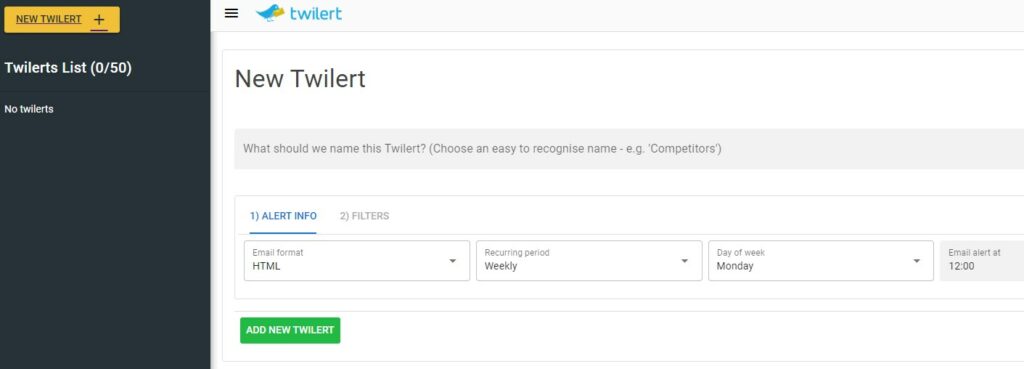
That’s why Twilert could be a great option for an entrepreneur, a freelancer, a small public relations agency, a marketing agency, and even a marketing department at a company who want to monitor keyword alerts and don’t want an enterprise software solution that has a big user fee or a fee dependent on the number of people in your business, features, and social accounts.
- Email Alert Delivery: Alerts can be customized to a frequency of your choice.
- Keyword Boolean: You can use Boolean Logic to filter your results.
- Basic monitoring does not require the user to login to the dashboard.
- Priced to start affordable and includes a trial offer.
- No Native Sentiment Scoring: If a match is found for one of your keyword searches, the alert email does not automatically sort them as a positive or negative mention; this information has to be found manually.
2. Sprout Social
Sprout Social is a comprehensive social media management solution that goes well beyond basic Twitter listening. Tailored for mid-market and enterprise teams, it combines listening tools — sentiment analysis, competitor benchmarking — with publishing, engagement, and reporting all in one place.
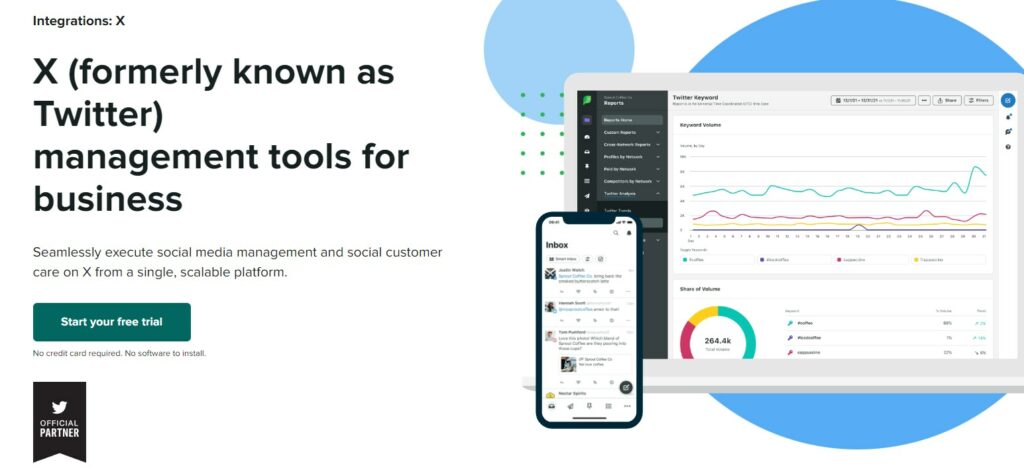
If you’re working with a team across several brands and/or client accounts, Sprout Social has a built-in collaboration and approval process that allows messages to go through different stakeholders before being sent, minimizing risk and streamlining communication across departments. Sentiment analysis is more complex and meaningful, too; it looks beyond simple positive or negative analysis and identifies subtle emotional nuances and trending themes. Sprout Social’s competitor tools let you compare share-of-voice and engagement rates, providing hard numbers to back up a quarterly plan.
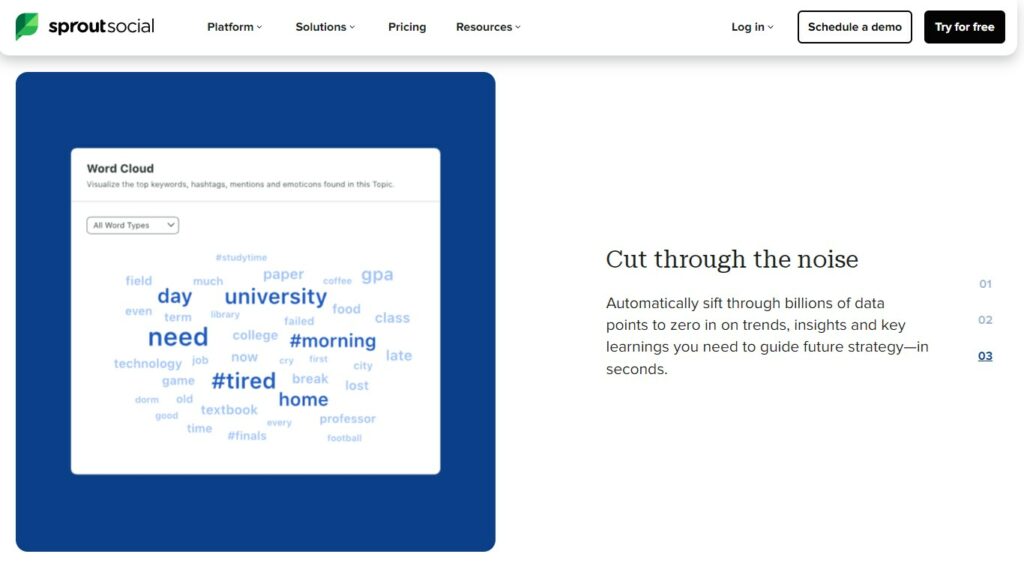
Sprout Social is great for teams looking to see what’s happening on all of their social platforms and automate workflows instead of just focusing on immediate alerts.
Pros:
- Single Inbox: Get all mentions from Twitter, and all interactions from Instagram, Facebook, LinkedIn, etc., all in one place.
- Segmentation and Analytics: Tag, filter, and save searches for more specific audience analysis and trend tracking.
- Team management: Role-based permissions and a message approval workflow.
Cons:
- Cost: It’s an enterprise solution. It is a little pricey, especially if you need a premium feature set.
One-liner: The enterprise feature set and custom pricing model make it overkill for freelancers or small teams needing only basic Twitter alert functionality.
3. Brand24
Brand24 offers a low-cost option for teams that want to monitor their Twitter mentions and the web in real time. It monitors several more channels beyond Twitter, including news and social media sites, as well as blogs and forums, so you can monitor mentions that don’t necessarily appear on just one or another site. The pricing is quite competitive, and its free trial options make it easier to try before you buy.
Sentiment analysis and the ability to track specific influencers and trends in the data make it easier to prioritize the best posts, although sentiment sometimes misses sarcasm or tone. It keeps everything in one easy-to-find feed, so you don’t have to go hunting for brand mentions across multiple dashboards.
Features included:
- Real-time email, Slack, and Webhook alerts
- Sentiment analysis across 108 different languages
- Influencer scoring and identification
- Discussion graphs and trending topics
- PDF report export
Limited native CRM integrations compared to enterprise platforms. You’ll have to use Zapier if you want to funnel Brand24 mentions into your CRM.
4. Media Watcher
Media Watcher solution revolves around real-time Twitter alerting and sentiment analysis, tailored for brand monitoring. The service sends a real-time alert as soon as a keyword, product, brand or competitor name is mentioned in a tweet. It also conducts sentiment analysis and identifies positive or negative or neutral sentiment for each mentioned.
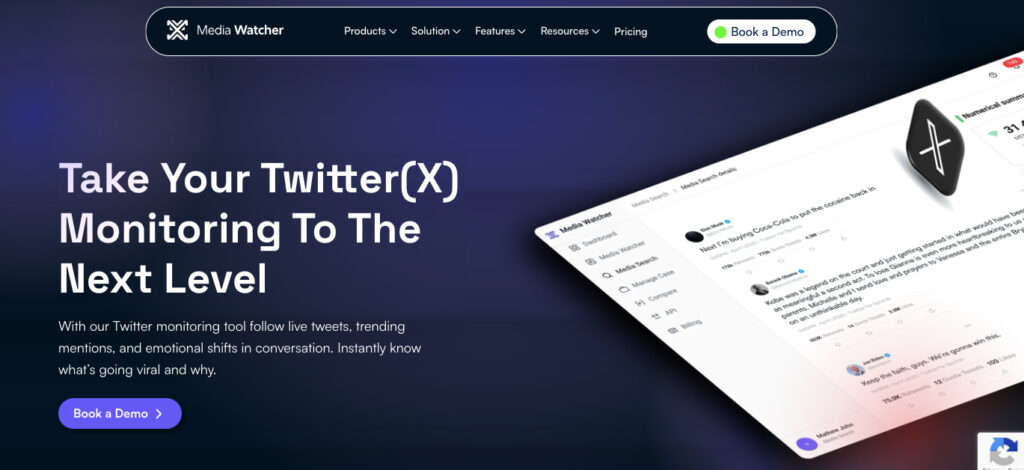
No pricing or founding information is provided on the Media Watcher website. Brand monitoring means that users will not be disappointed in the feature set. Media Watcher provides an easy solution for those who want to stay on top of brand mentions. Simply add a keyword and you’ll get alerts and sentiment data on mentions in seconds.
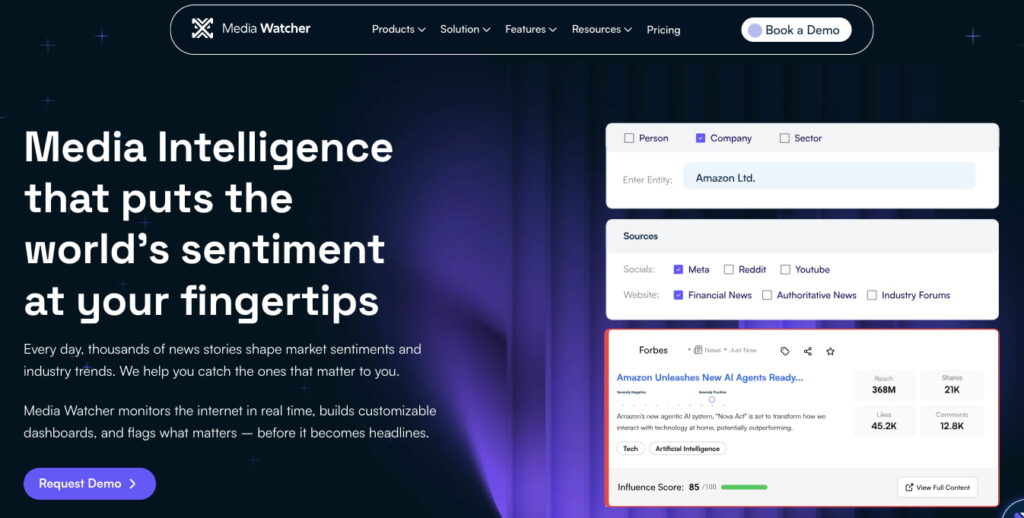
No pricing or founding information is provided on the Media Watcher website. Brand monitoring means that users will not be disappointed in the feature set. Media Watcher provides an easy solution for those who want to stay on top of brand mentions. Simply add a keyword and you’ll get alerts and sentiment data on mentions in seconds.
5. Meltwater
Meltwater operates at enterprise scale, integrating Twitter data with broader media intelligence streams to serve PR teams tracking brand reputation across traditional and social channels simultaneously. The platform’s advanced reporting tools transform raw Twitter mentions into executive-ready dashboards, correlating social sentiment with news coverage and competitor activity. Pricing isn’t published on their site — enterprise quotes only, signaling this isn’t built for small teams testing Twitter alerts on modest budgets.
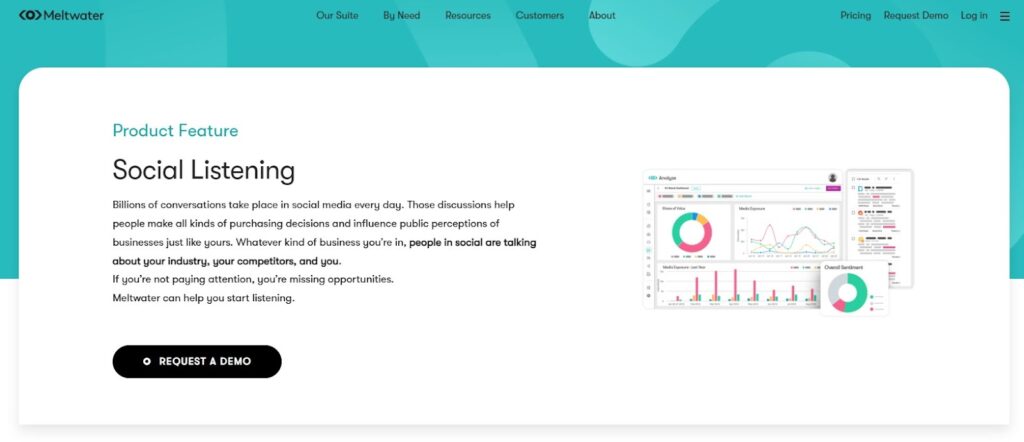
The PR and communications focus means Twitter monitoring sits within a comprehensive media intelligence suite rather than functioning as a standalone alert tool. Teams get sophisticated sentiment analysis and trend detection, but the setup complexity and feature depth may overwhelm organizations seeking simple keyword tracking.
It fits best when Twitter monitoring must feed into quarterly board reports, crisis response protocols, or multi-channel campaign measurement where media and social data integration justifies the platform investment.

Pros:
- Enterprise-scale monitoring handles high-volume Twitter streams without performance degradation
- Media and social data integration correlates Twitter sentiment with broader news cycles
- Advanced reporting tools deliver executive-level analytics and custom dashboards
Cons:
- No published pricing creates budget uncertainty for mid-market buyers
- Steep learning curve and feature complexity exceed needs of teams wanting fast, simple Twitter alerts
One-line weakness: The enterprise architecture and opaque pricing model make Meltwater overkill for teams needing lightweight Twitter monitoring without the full media intelligence commitment.
Methodology
We’ve rated the five leading X (formerly Twitter) monitoring and alerting solutions according to their ability to deliver real-time alerts, their precision in conducting sentiment analysis, how easy they are to use, how open they are about pricing, and the extent of their integrations.
To compile this list, we’ve reviewed the profiles’ positioning, their features as described by the companies, what seems to be their price tier, and how long they’ve been in business, as well as all information that’s publicly available on those platforms and the practices of their competitors. We’ve left out any information that appears to be false advertising, any claims that we can’t verify, and any paid placements. In other words, we’re not taking any money from a company to list them or assign them a certain rating. We’re judging all our recommendations based on objective factors that matter for any size team that uses X to gain actionable intelligence. Updated 2026.
Conclusion
For businesses that are trying to manage noise in their X (formerly Twitter) channels, it is best to use a X tool that is fast and easy to navigate while not cluttering an already busy workflow. This way, companies will be better prepared to handle a crisis if it should arise.
However, not all social listening tools are the same. A fast response to an alert is just one aspect to consider when selecting the best option. When choosing a monitoring tool, it will be important to determine what level of detail and functionality you will need: do you just want basic keyword tracking, or do you need the sentiment analysis of a global conversation?
Here are the five best tools to consider that vary in complexity from the alert-focused to multi-platform and enterprise-grade social listening and reporting. If you are choosing the right tool to fit a specific need, the key factor will be the desired level of real-time alerting that is acceptable, whether it is tracking one brand or a few different ones and what types of sentiment analysis is necessary or desired. To start, try two tools for 48 hours, run the same query, and compare how the notifications work.