Twitter is perhaps the most crowded social media platform where new tweets appear in the blink of an eye. You may still be reading one when a ton of new posts already pop up at the top of your feed.
With so many tweets competing for attention, getting noticed can feel like an uphill battle. And yet, businesses still manage to cut through the noise and grow their accounts relatively quickly. What’s the secret?
They know what type of content people care about, what conversations are worth joining, and what tools to use to make the whole process easier and more efficient.
The best thing is, founders who use X tools don’t spend nearly as much time promoting their feed as one might expect. These tools take care of routine tasks, giving them more time to focus on long-term business goals.
In this article, we’ll look at the best tools to grow fast on X (Twitter), how they work, and how to choose one that fits your goals.
How to Boost Your Twitter Presence: Start With the Right Strategy

Before discussing X tools for growing your profile, take a step back and answer an important question. Growth is a nice and strong word, but what exactly does it mean to you?
Some people aim to get more followers. For others, growth may mean receiving more replies, spreading the word about their brand or business, or getting more website traffic through the X channel.
Determining your main goals is about the first thing to be done before you sign up for any tool. There’s a slew of X tools out there, but not all of them are designed to do the same jobs.
For example, a creator who wants to grow a personal brand would benefit from a tool with a content planning feature. On the other hand, business owners looking to attract new customers would benefit far more from a tool that makes it easy to connect with people and track results in real time.
But no matter what your goals are, the tools you choose should support a solid growth strategy. And that strategy comes down to three key pillars:
- Content: writing useful or entertaining posts that give people a reason to follow you;
- Engagement: joining conversations, replying to comments, and connecting with people in your niche;
- Analytics: tracking results to identify weak points and finding potential areas that give room for improvement.
A good tool should make at least one of these tasks easier. If it doesn’t, it may be time to cut it loose.
The Best Tools to Grow Fast on X (Twitter)
There’s no single tool that can do everything well. They simply cannot, because a lot of them are designed to perform different jobs.
Some are built for scheduling, while others help you find new audiences or study competitors. So, choosing the best one largely comes down to the work you want the tool to facilitate for you.
1. Twilert: Best for Monitoring Conversations on X

Timing is perhaps the most important secret to success on X/Twitter. People may ask questions, mention your brand, or discuss topics related to your business. If you don’t engage in these types of conversations, you’re missing a valuable opportunity to capture attention.
That’s where Twilert comes in.
Twilert is a Twitter/X monitoring tool that helps business owners and individuals track what people say online in real time. Whenever a specific keyword, hashtag, brand, or account is mentioned, it immediately sends a notification directly to your inbox.
This way, instead of spending days in front of the computer hunting for matching posts, you can set up alerts and reply to important X threads as soon as they appear.
- Best for: Businesses, marketers, founders, and customer support teams;
- Why it helps: Twilert helps you spot relevant conversations as they happen. You can respond to questions, join discussions, and connect with potential customers before the opportunity passes.
2. Typefully: Best for Writing and Scheduling Posts
If you’re a creator looking for a tool that can help you write better posts, Typefully might be worth your attention. Best known for its user-friendly, minimalist writing environment, this tool can prove irreplaceable for drafting tweets, building threads, and scheduling content.
Another feature many users praise is its smart AI writing assistant. It’s easy to get stuck when you run out of ideas, but Typefully can help brainstorm while expertly adjusting writing to keep it consistent with the desired tone of voice.
You also get a Smart Scheduling and Calendar feature, making it easier to publish media posts on X without delays.
- Best for: Creators, writers, and professionals who publish often;
- Why it helps: Consistency matters. Typefully makes it easier to plan ahead and keep your account active without spending every day writing posts from scratch.
3. Buffer: Best for Managing Multiple Social Accounts

Another great tool for creators worth a close look is Buffer.
This social media management and scheduling platform allows you to plan, schedule, and review your posts not only on X but on several other platforms, including LinkedIn, Instagram, and Facebook. So instead of juggling several accounts, you can manage it all in one place.
It also offers tools for engagement and analytics, depending on your plan and the platforms you connect. If any of your content performs worse than expected, you’ll have a way to spot this and make the necessary adjustments.
- Best for: Small businesses, marketers, and social media managers;
- Why it helps: Buffer is useful when you want to maintain a steady posting schedule across different channels.
4. TweetHunter: Best for Creators Who Want to Grow
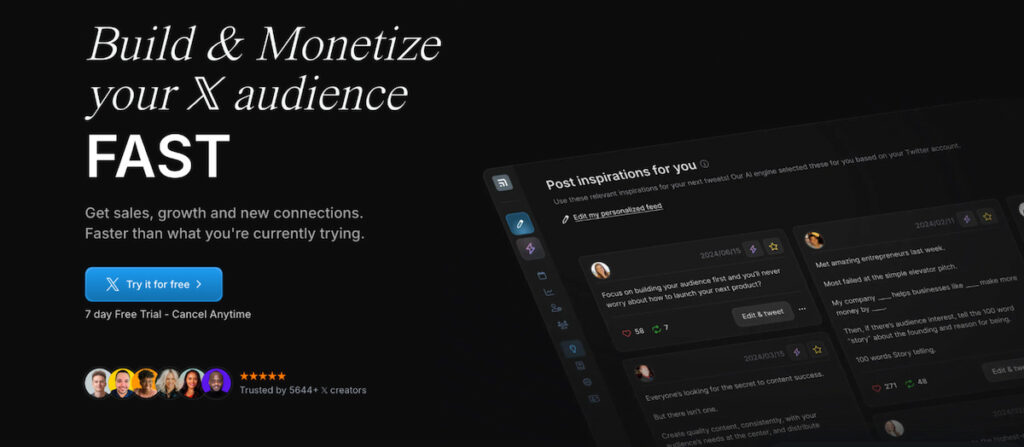
The sole purpose behind TweetHunter creation was to help businesses and individuals grow an audience on X. It’s an all-in-one tool that combines features for content creation, scheduling, analytics, and audience growth.
The tool also offers features designed to help users improve their posting habits and build stronger connections.
One of the tool’s biggest highlights is the Viral Tweet Library support. Whenever you run out of ideas or feel like you need a bit of inspiration, you can find millions of viral, high-performing tweets, all searchable by keywords, that can become a great starting point for your next posts.
- Best for: Creators, founders, and personal brands;
- Why it helps: TweetHunter can make it easier to find content ideas and turn them into a steady stream of posts.
5. Fedica: Best for Audience Research

Fedica offers social media analytics, audience insights, and scheduling features. It can help you understand who follows you, how your audience behaves, and how your account changes over time.
Audience research is often overlooked. Yet it can be the difference between posting content that gets ignored and sharing something people want to discuss.
For example, if your audience includes startup founders, you may find that they engage more with practical advice than broad motivational posts.
Fedica can help you spot these patterns and adjust your content.
- Best for: Creators, brands, and marketers who want deeper audience insights;
- Why it helps: Better audience knowledge can lead to more relevant content and stronger engagement.
6. Hootsuite: Best for Teams and Larger Brands

Hootsuite is a social media management platform designed to help teams manage several accounts and campaigns.
It includes scheduling, analytics, monitoring, and team collaboration features. You can plan campaigns, review results, and keep your social media activity organized.
For a small creator, Hootsuite may offer more features than necessary. But for a business with several team members, it can be a useful central hub.
- Best for: Agencies, marketing teams, and larger businesses;
- Why it helps: It brings content planning, monitoring, and reporting into one workspace.
7. X Analytics: Best for Tracking Your Own Performance

X’s built-in analytics and account insights can help you understand how your posts perform. The exact features available may depend on your account and X’s current offerings.
You can use available metrics to review impressions, engagement, and other performance signals.
The best part? You don’t always need a paid third-party tool to start learning from your content.
For example, compare two posts on the same topic. One gets plenty of likes but few replies. The other sparks a discussion. That difference can tell you something about the kind of content your audience values.
- Best for: Beginners, creators, and businesses that want to track basic performance.
- Why it helps: You can use your own results to make smarter content decisions.
8. Zernio: Best for automating X with AI agents
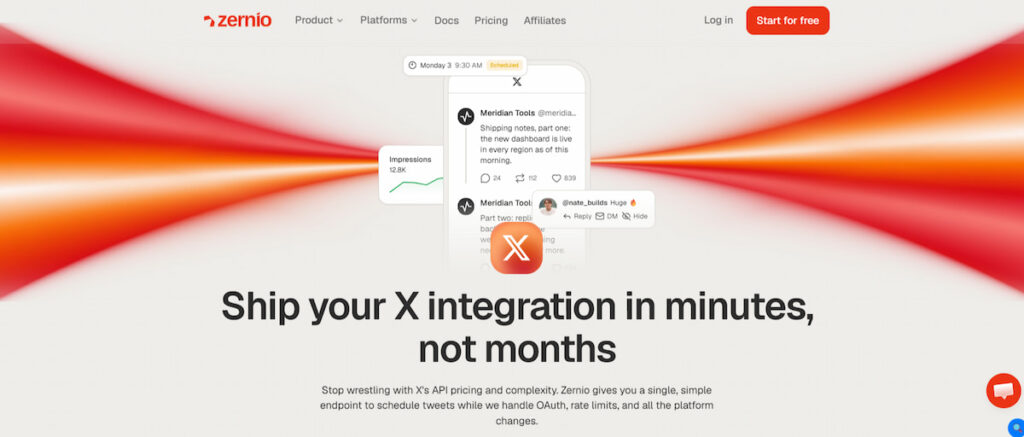
Most X tools assume you’ll log in and click through a dashboard. But a lot of founders now run their marketing through AI assistants like Claude or ChatGPT, and they want those assistants to post for them.
Zernio is a social media API with an MCP server, so you can connect it to your AI assistant and manage X in plain language. Ask it to schedule a thread for Tuesday morning, reply to new comments, or pull last week’s engagement numbers, and it does it.
If you’re building your own tool, you can use the same API to add X publishing to your product without dealing with X’s API directly. And since it covers other platforms like Instagra, TikTok or Linkedin, your workflow doesn’t break when you expand beyond X.
- Best for: Founders, AI agent builders, and teams building their own social tools;
- Why it helps: Your posting, replies and reporting can run on autopilot from the AI tools you already use, so X keeps growing while you focus on the business.
Comparison Table: Which X Growth Tool Should You Choose?

Each tool has a different focus. Here’s a quick comparison to help you find the right fit.
| Tool | Main purpose | Best for | Key strength |
|---|---|---|---|
| Twilert | Conversation monitoring | Businesses and marketers | Real-time keyword and mention alerts |
| Typefully | Writing and scheduling | Creators and writers | Clean writing workflow |
| Buffer | Social media management | Small businesses | Multi-platform scheduling |
| TweetHunter | Audience growth | Personal brands | Content ideas and growth features |
| Fedica | Audience research | Marketers and creators | Audience insights |
| Hootsuite zernio | Team management Social media publishing and automation API | Agencies and businessesDevelopers, SaaS platforms, and agencies | Collaboration and reporting Multi-platform social media automation |
The best choice isn’t always the tool with the longest feature list. It’s the one that solves your biggest problem.
For example, if your main goal is to join more relevant conversations, Twilert may be a better starting point than a scheduling tool. If you struggle to publish consistently, Typefully or Buffer could be more useful.
You can also combine tools. Twilert can help you find conversations worth joining, while a scheduling tool helps you keep your content calendar on track.
Keep in mind that pricing and features can change. Some tools offer free plans or trials, while others require a paid subscription for advanced features.
The best choice isn’t always the tool with the longest feature list. It’s the one that solves your biggest problem.
Tools That Help You Find the Right Audience

Growing on X isn’t about posting more content. It’s about posting the right content and making sure the people who are interested in it get to see it. This is where search and social listening tools step in.
X Advanced Search
Start by exploring X’s Advanced Search. By filtering posts, conversations, or accounts based on specific terms, dates, people, or other criteria, you can find users who already ask questions about your product.
It’s a great opportunity to reply to these posts and add value. It’s also a great way to connect with the people potentially interested in your brand or product.
Social Listening Tools
Social listening tools are another addition worth adding to your arsenal.
Not all conversations searchable by keywords have a positive sentiment. People may talk about your brand, but not in a good way. With social listening tools, you can better understand the context behind each discussion, identify pain points people face, and proactively improve your strategy.
Here’s a list of tools worth exploring:
- Brand24;
- Mention;
- Talkwalker;
- Awario.
How to Get More Engagement on X (Twitter)

Remember, tools can facilitate your work by publishing content and tracking performance, but they can’t replace real conversations. As Maya Angelou once said, “People will forget what you said, people will forget what you did, but people will never forget how you made them feel.”
This idea applies to social media, too. People are more likely to engage with accounts that make them feel heard, informed, or entertained.
Here are a few ways to improve engagement.
Write Posts That Invite a Response
A post doesn’t have to go viral to be useful. Sometimes, a simple question can start a meaningful conversation.
For example:
- What’s the biggest challenge you face when creating content?
- Which marketing tool saves you the most time?
- What would you change about your current workflow?
Avoid asking questions just for the sake of getting replies. Make sure they appeal to your audience and fit the topic.
Join Relevant Conversations
Don’t wait for people to find you. Look for relevant discussions and take part. Reply to posts from industry experts, share your experience, and offer practical advice. A thoughtful reply can help your account get noticed and bring followers to you.
Moreover, by regularly replying to relevant discussions, you can build relationships with other creators. For more practical advice, explore How to Get More Engagement on X (Twitter).
Track What Works
Pay attention to the posts that get the most replies, reposts, and meaningful interactions.
Look for patterns:
- Do short posts perform better than long ones?
- Do personal stories get more replies?
- Does your audience prefer tips, questions, or case studies?
- Which topics bring in new followers?
You can use Twitter analytics tools to review these patterns and make better decisions.
Best Twitter Marketing Tools for a More Complete Strategy
If you’re serious about growing on X, you may need more than a scheduling tool.
A broader marketing toolkit can help you manage campaigns, monitor conversations, and understand how your social media activity supports your business goals.
For example, you could use:
- A scheduling tool to plan content;
- An analytics tool to track performance;
- A social listening tool to monitor conversations;
- A search tool to find relevant users and topics;
- A link tracking tool to measure website traffic.
These tools work best when they support one clear strategy.
You don’t need to use all of them at once. Start with the basics and add more tools as your needs grow.
For a broader look at your options, check out the best Twitter marketing tools.
Final Thoughts
To bring it to a close, no single tool can do everything well, and the best tools to grow fast on X depend solely on your goals.
If you want to write better posts, you should consider tools with content creation and AI-assistant writing features. If you manage several social media channels, you may be better off with an all-in-one tool that supports several social media platforms.
In some cases, combining several tools is the way to go.
Ultimately, remember that these tools are meant to support your work, not to do the work for you. The key lies in finding the right combination that helps streamline your daily tasks.