Scroll through X, and you will see view counts everywhere. Big numbers. Small numbers. Viral spikes. Quiet posts. Sure, those numbers help… but if you don’t know what are unique views on Twitter (X), you can’t tell whether those views are new people or recycled exposure.
And that is exactly what we are getting into. You will learn what unique views on X (Twitter) mean and how they compare to regular views. After that, we will show you where to find them in X Analytics and how you can push that number higher.
What Are Unique Views On Twitter (X)?
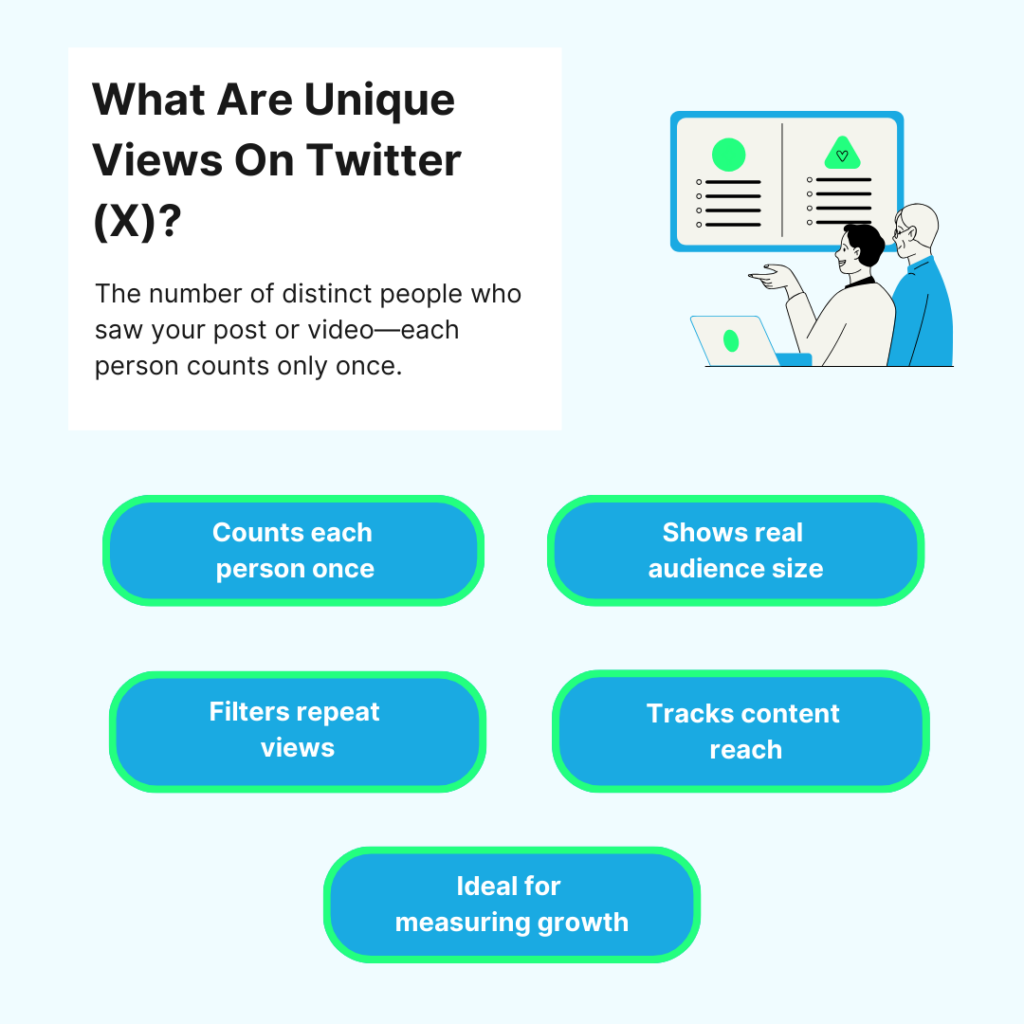
Unique views on X mean the number of distinct people who saw your post or video. Each person counts once, even if they see it multiple times.
For example:
- Person A sees your tweet 5 times → 1 unique view;
- Person B sees it 2 times → 1 unique view;
- Person C sees it once → 1 unique view.
👉 Total unique views = 3 people
Unique views tell you how many individual accounts your content reached. It filters out repeat views from the same user, so you can see how far your post spreads across different people.
Unique Views vs Views: Understanding The Key Differences
Views (or impressions) count every time your post appears on a screen. It doesn’t matter if it is the same person or if they scroll past it ten times. Every display adds to the view count.
So if one user refreshes their feed and sees your post five times, that is five views. This is why view counts can look huge.
Unique views count how many different people saw your post.
One person = one unique view. Even if they see it ten times.
So if 1,000 people each see your post once, you get 1,000 unique views. If 100 people see it 10 times, you still have 100 unique views.
The Simple Difference
– Views tell you the total number of times your content showed up.
– Unique views tell you how far your content actually reached.
Now, views can be misleading because they can shoot up in no time.
- Your followers can see the same post many times;
- The algorithm can push it back into feeds again;
- One quick scroll past and one scroll back trigger another view.
So a post with 100,000 views might only reach 15,000 real people.
Why Unique Views Matter More
Unique views tell you:
- How many new followers you reached;
- How big your real audience is;
- Whether your content is breaking outside your follower bubble.
Reach vs Impressions vs Unique Views: What These Different Metrics Actually Mean
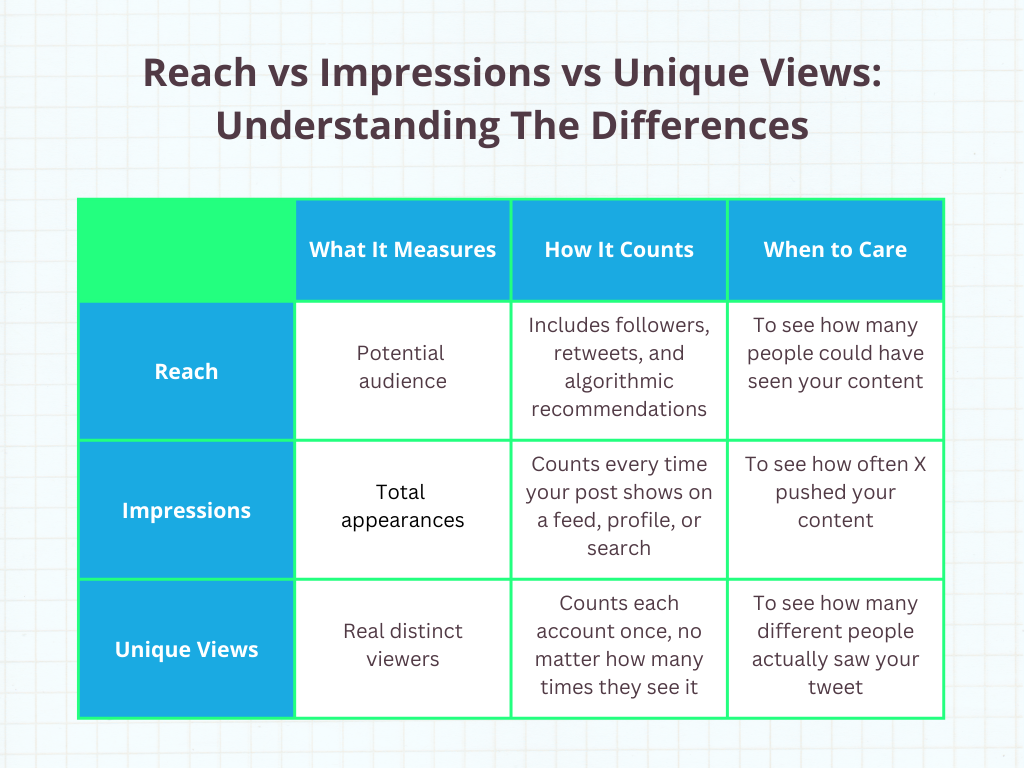
Let’s look at these 3 X metrics, so you know exactly what each one measures and when to care about it.
X (Twitter) Reach: How Many People Could See Your Content
Reach is about the potential audience size. It includes users who had the chance to see your content, even if they didn’t actually view it.
Reach can include:
- Your followers;
- Secondary audiences through retweets or quotes;
- Users in algorithmic recommendations;
- Campaign audience targeting in ads.
It is a broader and sometimes modeled metric. Use reach when you want to answer: “How many people were in the distribution zone of this content?”
X (Twitter) Impressions: How Many Times Your Content Appeared
Impressions count every appearance of your post in feeds, timelines, search results, or profiles. This metric tracks distribution events – not people.
Examples:
- A user scrolls past your post three times → three impressions;
- Your tweet shows on someone’s profile and on the home feed → two impressions;
- A user opens your post and reloads the page → multiple impressions.
Impressions show how aggressively the platform pushed your content. They tell you about algorithm exposure – not audience size. Use impressions when you want to answer: “How often did X show this content?”
X (Twitter) Unique Views: How Many Distinct Accounts Saw Your Post
Unique views count individual accounts that saw your content at least once.
- One person scrolling past your post ten times still counts as one unique view;
- Ten different people seeing it once count as ten unique views.
This metric shows audience breadth on X itself. You get to know how many separate users your post reached on that platform. Use unique views when you want to answer: “How many different people saw this tweet?”
What Each Metric Is Best For
| Use Unique Views when | – You want to measure audience growth- You want to see how many new users your content touched- You are comparing content topics for discovery |
| Use Impressions when | – You want to understand algorithm amplification- You want to test posting times and frequency- You want to evaluate distribution mechanics |
| Use Reach when | – You want to estimate campaign scale- You are planning paid campaigns- You are forecasting audience exposure before posting |
How Do Unique Views on X (Twitter) Work?
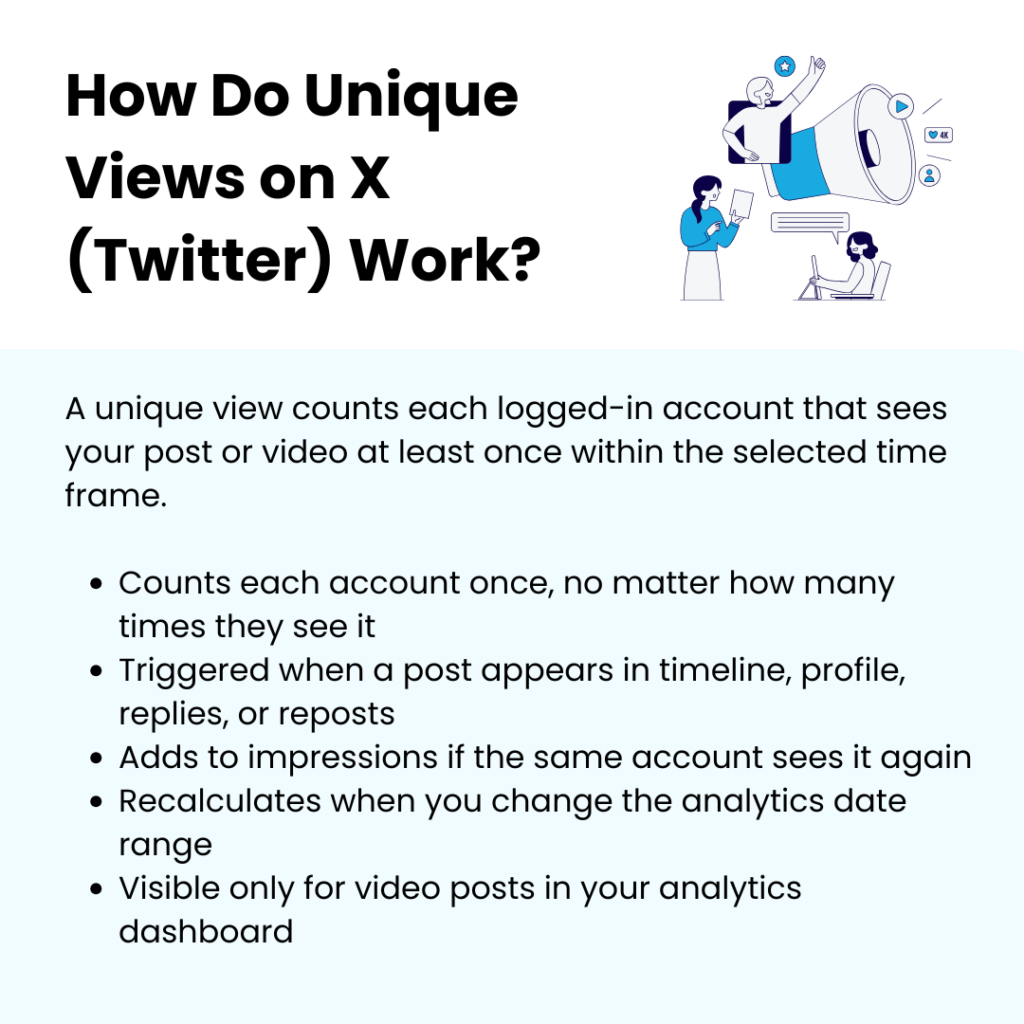
On X, a unique view is tied to a single logged-in account within a selected reporting window. When that account loads your post for the first time, it registers as one unique view. After that, additional loads from the same account during that time range don’t increase the unique count.
Now let’s get specific about what counts as a “load.” A unique view can be triggered when:
- Your post appears in the Home timeline;
- Someone opens your post from a profile page;
- A user taps into a reply thread, and your post is displayed;
- A repost places your content in another user’s feed;
- A user opens the post detail view.
If the same account encounters your post again through any of those paths, it adds to impressions, not unique views.
Time range matters. Unique views are calculated within the analytics date filter you select. If you change the range from 7 days to 28 days, the unique count recalculates for that period. And device switching doesn’t create multiple unique views if the same account is logged in. The identifier is the account, not the device.
Here’s what it doesn’t measure:
- It doesn’t guarantee the person read the post;
- It doesn’t confirm engagement;
- It doesn’t count anonymous logged-out web traffic the same way as authenticated accounts.
One more thing.
Unique views are tied to video content – not all posts. Video content makes up 42% of all media-attached posts on X, which is why this metric shows up most often for video.
- Unique views currently show mainly for posts with uploaded videos;
- Regular text tweets usually don’t show unique views publicly;
- The metric is visible only in your analytics dashboard, not to the public.
How To See Unique Views On Twitter Analytics?
Unique views are not available for every post. They only appear on video posts. Text tweets, image tweets, and polls don’t show this metric.
Also:
- You must be the tweet author to see the unique views – others can’t view that number on your content;
- They are not public;
- They don’t show in the main analytics dashboard.
This is why many people think the metric doesn’t exist. It exists – but in a very specific place.
Step 1: Open Your Video Post
To see unique views:
- Log into your X account – analytics won’t show if you are logged out;
- Go to your profile;
- Find a post that has an uploaded video. Open that post.
Unique views appear inside the post-level analytics panel for that video.
Step 2: Open Post Analytics (Mobile Or Desktop)
On mobile
- Tap the graph icon below your post.
On desktop
- Click the analytics icon on the post;
- Or open the post and click the analytics button.
This opens the post analytics dashboard for that specific tweet.
Step 3: Locate The Unique Views Metric
Inside the video post analytics panel, you will see metrics like:
- Video views;
- Unique views;
- Engagements;
- Completion rate;
- Watch time.
Unique views appear as a separate metric from total video views. This is where X shows the deduplicated audience count.
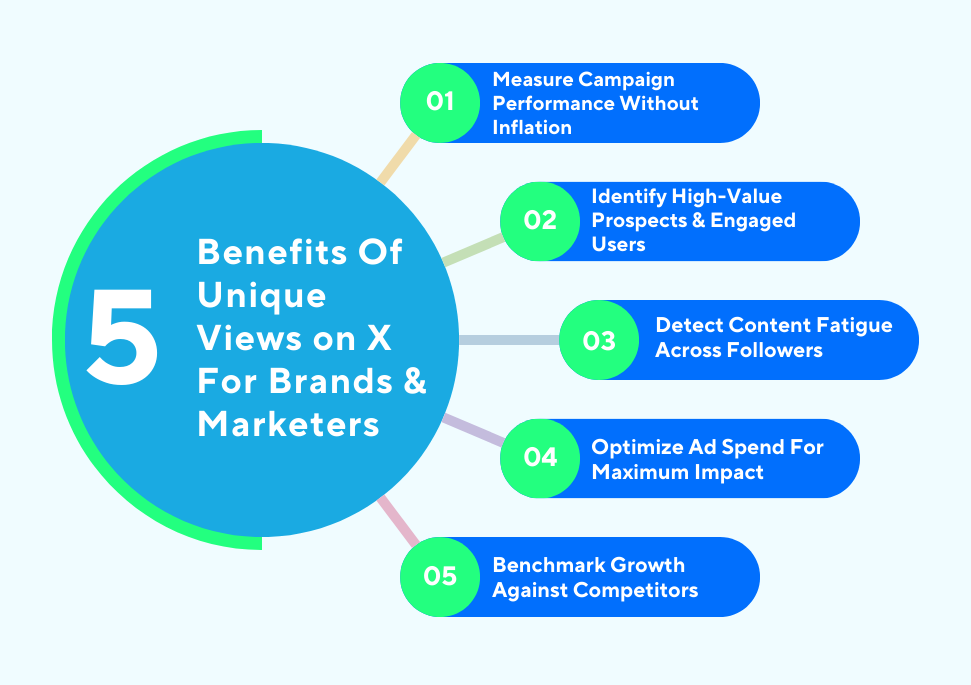
Why Unique Views on X (Twitter) Matter For Brands & Marketers
Unique views are one of the few X metrics that actually show real audience reach. Here’s why that matters for brands and marketers who care about growth.
Measure Campaign Performance Without Inflation
Impressions look impressive, but they usually lie. Unique views tell you exactly how many individual accounts saw your content. And this matters for campaign evaluation. When reporting ROI, you can calculate:
- Cost per unique viewer;
- Conversion rate per unique viewer;
- Follower growth for every 1,000 unique viewers.
Those ratios stay stable across campaigns. Impressions fluctuate heavily depending on repost activity. Unique views stay tied to distinct accounts. That gives you a clean performance comparison between campaigns and time periods.
Identify High-Value Prospects & Engaged Twitter Users
Unique views help you narrow down serious audience clusters.
If you run gated content or lead magnets through promoted posts, compare unique views with profile clicks and link clicks. A high ratio of clicks to unique viewers means you have concentrated interest from a smaller but focused group.
For example:
- 10,000 unique users;
- 1,200 profile visits.
That means 12% of the people who saw it wanted to know more.
Now put that against audience segments. If most unique views come from a specific geography or job title segment (available through ad manager breakdowns), that becomes your high-value pocket. You can retarget that exact segment instead of broad interest groups.
Detect Content Fatigue Across Followers
When impressions keep rising but unique views level off, your content is circulating inside the same audience repeatedly. That pattern shows fatigue. Your existing followers are seeing the post multiple times, but it is not expanding beyond them.
Track this over several posts:
- Stable or declining unique views;
- Rising impressions;
- Flat follower growth.
That combination tells you the distribution is recycling. At that point, adjust the format or posting time. Unique views become your early warning signal before engagement rates drop sharply.
Optimize Ad Spend For Maximum Impact
Cost efficiency improves in paid campaigns when you focus on cost per unique viewer rather than cost per impression.
If Campaign A delivers 200,000 impressions at $8 CPM but only 25,000 unique viewers, and Campaign B delivers 140,000 impressions at $9 CPM but 60,000 unique viewers, Campaign B is expanding audience reach better.
That insight prevents budget waste. You stop funding repetition-heavy placements and redirect spend toward placements that introduce your brand to new accounts. Unique views give you clarity on expansion. Impressions only show visibility volume.
X’s average conversion rate is around 0.77%, which makes the platform stronger for awareness and top-of-funnel exposure than direct conversions. That makes unique viewers even more important, because the real value is getting new people into your ecosystem before they convert elsewhere.
Benchmark Growth Against Competitors
While you can’t see competitors’ exact unique views, tracking your own over time creates a benchmark for audience growth efficiency.
If your campaign gets 50,000 unique viewers and your followers go up 3%, that ratio becomes your benchmark. Over time, you refine your content to increase that percentage.
This creates an internal growth efficiency metric:
- Unique viewers per post;
- Follower gain per unique viewer;
- Conversions per unique viewer.
Instead of chasing viral impressions, you track audience expansion efficiency. That is what long-term brand growth depends on. Unique views shift your focus from how loud your content appeared to how far it actually traveled.
How To Increase Unique Views On Twitter (X): 8 Proven Strategies
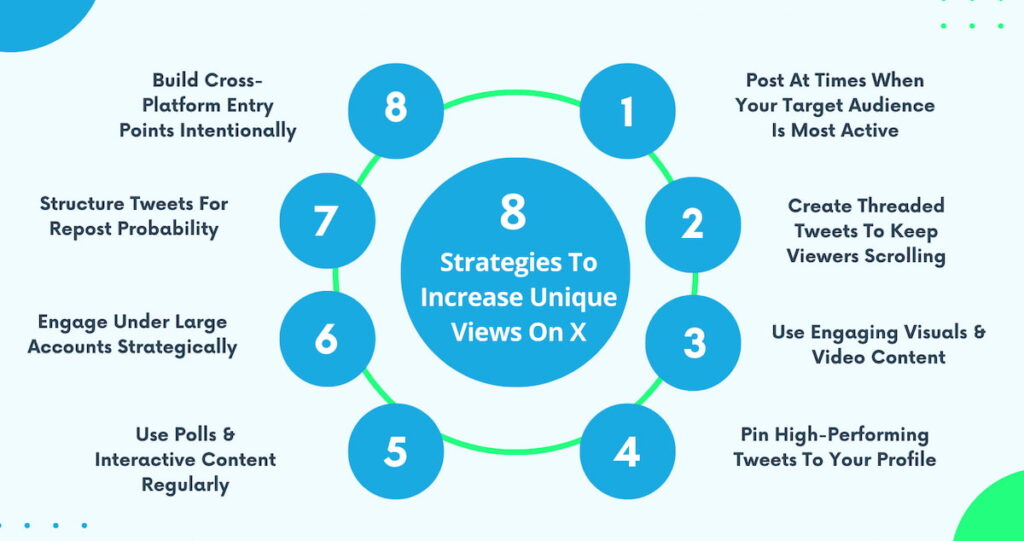
If your unique views aren’t moving, something in your approach needs to change. Let’s get into the strategies that push your content beyond the same familiar timelines and into new ones.
Post At Times When Your Target Audience Is Most Active
Timing is not random on X. Even your best tweet can vanish if posted when your followers aren’t scrolling. With 86% of people spending at least 6 hours online every day, being online is not the problem – being online at the right moment is.
When you tweet at the right time, your content has more chances of reaching fresh feeds and being retweeted by accounts outside your follower base.
What To Do:
- Check X Analytics for hourly engagement peaks across weekdays and weekends;
- Map global audiences separately and post content during peak local hours;
- Test posting at three different time windows each day for a week. Track unique views per slot;
- Combine organic and promoted tweets during peak hours to get the max first-time exposure.
Create Threaded Tweets To Keep Viewers Scrolling
Threads increase dwell time. Each tweet in a thread can show up on its own in feeds, which means a user can discover tweet 4/7 first, then open the thread. That keeps people scrolling and shows your content in fresh timelines.
What To Do:
- Break long-form content into 5–7 connected tweets;
- Put key insights in middle tweets (not only the first one) to create multiple discovery hooks;
- Include clear numbering (“1/5, 2/5…”) and subheadings so people always know where they are in the thread;
- Pin the opening tweet so new profile visitors start the thread from the top.
Use Engaging Visuals & Video Content
Charts, annotated screenshots, short vertical videos, bold text graphics – they all increase pause time. That pause improves distribution potential because the algorithm prioritizes content that holds attention. But random visuals don’t work. Relevance does.
What To Do:
- Create native-sized images (1200×675) optimized for feed visibility;
- Use large readable typography that communicates the core message instantly;
- Keep videos under 45 seconds to maximize completion rate;
- Test text-only vs visual posts weekly and compare unique view deltas.
Pin High-Performing Tweets To Your Profile
When someone sees a reply you wrote under a large account or finds your tweet through search, they check your profile. Your pinned tweet determines whether they stay or leave. A good pinned tweet keeps profile visitors exploring and increases your unique views.
What To Do:
- Pin a tweet that clearly explains what someone gets from following you;
- Include a thread in the pinned tweet so visitors immediately see multiple posts;
- Update pinned content when launching campaigns or major announcements;
- Track profile visits in analytics before and after changing the pinned tweet.
Use Polls & Interactive Content Regularly
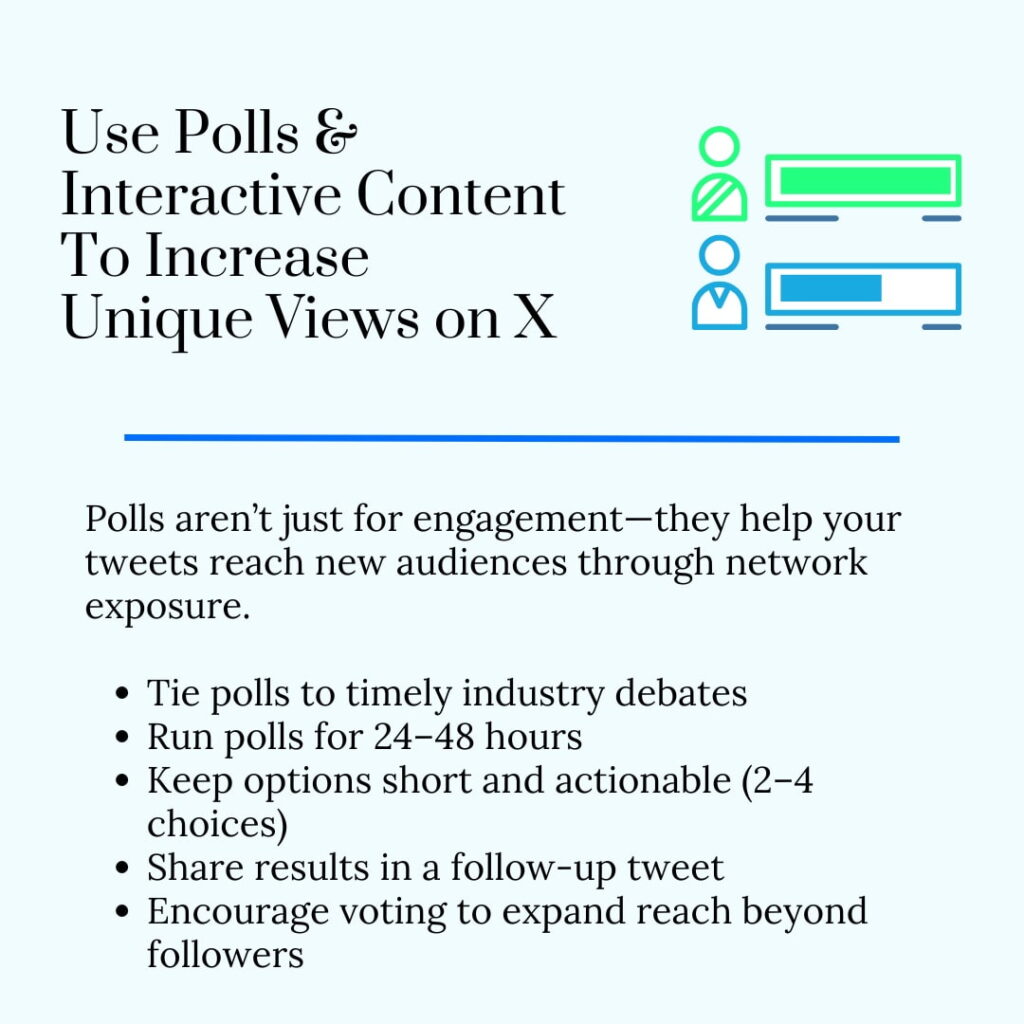
No, polls are not engagement gimmicks. They are exposure expanders. When someone votes, their followers may see that interaction. That pushes your tweet into networks that have never encountered you.
What To Do:
- Tie polls to current industry debates instead of generic questions;
- Run polls for 24-48 hours so the momentum doesn’t drag out;
- Keep options short and actionable – 2–4 choices get the most votes;
- Share poll results in a follow-up tweet to start a second distribution wave.
Engage Under Large Accounts Strategically
If your reply gets engagement, it can show up in feeds beyond the original tweet’s audience. This gives you exposure to accounts that don’t follow you and may never have seen your content otherwise. And this is precision exposure – not random commenting.
What To Do:
- Identify 10 large accounts in your niche and enable notifications;
- Respond within the first 10–15 minutes of their tweet going live;
- Write replies that add insight or perspective instead of agreement;
- Track profile visits and follower spikes after high-performing replies.
Structure Tweets For Repost Probability
Unique views grow when other accounts distribute your content. And that only happens when you structure your tweet in a way that makes reposting logical. Clear and standalone statements travel better than vague commentary. You need content that others want to attach to their name.
What To Do:
- Pick 1–3 trending hashtags daily relevant to your niche;
- Avoid internal references that only your followers understand;
- Measure the repost rate per 1,000 unique viewers and refine based on patterns;
- Limit hashtags to 1–2 per post for clarity and readability.
Build Cross-Platform Entry Points Intentionally
Your X account can’t depend only on X to get discovered. When you pull people in from LinkedIn, your email list, YouTube descriptions, your blog, or even your Facebook BM account via ad creatives and page links, you are putting your tweets in front of audiences who may have never seen you before.
And this works both ways. Linking your YouTube video in X threads can get you more YouTube views, and sharing threads in your video description or pinned comment can push viewers back to X. And the moment they click through, that is a brand-new unique view added to your reach.
What To Do:
- Embed relevant tweets inside blog content where the context is right;
- Add tweet links in email campaigns tied to the same topic;
- Share high-performing tweets inside LinkedIn posts with a clear call to continue the conversation on X;
- Track the increase in unique views immediately after cross-platform mentions to measure source effectiveness.
3 Real-World Performance Stories Of How Unique Views On X Drive Real Results
Getting noticed on X is one thing; getting new people to stay is another. And these 3 brands did it perfectly with unique views.
IceCartel
IceCartel iced-out watches had plenty of exposure – just not from new and untapped viewers. Their posts regularly crossed six figures in total views. The problem was repetition. The same streetwear-focused audience kept seeing the content.
Instead of celebrating big totals, they tracked unique views per product drop announcement. One watch launch showed 92,000 impressions but only 21,000 unique views. That told them something clear: distribution was looping inside the same follower base.
They adjusted fast.
They partnered with two micro-creators in adjacent niches: nightlife promoters and hip-hop dance influencers. Instead of reposting IceCartel content, those creators posted original styling clips and tagged the product. That exposed the watches to entirely new audience clusters.
Here is what changed:
- The next product launch generated 54,000 unique views;
- Referral traffic from X increased 4.3x that week;
- The average order value from X visitors was 28% higher than that of Instagram traffic.
Re Cost Seg
Re Cost Seg posted a long thread summarizing this guide on earning real estate professional status. They listed the exact IRS requirements – the 750-hour test, the “more than half of personal services” rule, material participation standards, and the documentation investors must maintain to withstand an audit.
Their content rarely goes viral, and that wasn’t the goal here. They wanted to reach short-term rental operators managing multiple properties and real estate investors who were actively trying to offset W-2 income with losses.
The thread received 18,000 impressions. On its own, that number looked average. But unique views came in at 16,200. That ratio told a different story. It showed the content was reaching distinct professionals rather than circulating repeatedly inside the same follower base.
They went further and analyzed profile-level data from promoted amplification. A large portion of unique viewers had bios mentioning “CPA,” “real estate investor,” “multifamily operator,” or “tax strategist.” Several were managing 10+ units according to their profiles.
Here is what changed:
- 47 consultation calls booked in 10 days from X alone;
- 19 of those leads referenced the thread directly on the intake form;
- Email sign-ups doubled for their tax strategy newsletter.
Sewing Parts Online
Sewing Parts Online sells highly specialized sewing and quilting machines. Their biggest challenge: many buyers didn’t even know the Baby Lock Presto II existed, or they weren’t sure if it was compatible with their existing setup. Hobbyists were frustrated trying to find clear demos and real-life stitching examples before buying.
They posted a thread on X showing the Presto II in action – close-ups of different stitch patterns and compatibility with popular quilting fabrics. Within 48 hours, the thread reached 64K unique views. Unlike impressions, these were mostly new eyes: small business seamstresses and sewing instructors who hadn’t previously engaged with the brand.
Here’s what changed:
- Product page sessions from X increased by 3.1x in 72 hours;
- 22% of visitors watched the demo video embedded on the product page;
- Cart additions from X traffic were higher than Pinterest for that product.
Conclusion
Scroll back to the core idea of this entire discussion: what are unique views on Twitter? They are the closest thing to a truth serum on X. So if you are serious about growth, stop celebrating big impression spikes without checking unique views. Views can stroke the ego. Unique views show whether your presence on X is actually expanding.
Seeing unique views is only part of the equation – you also need to know who is talking about you and what topics are bubbling up around your brand. At Twilert, we monitor X in near real time and send alerts straight to your inbox when someone mentions your brand, keywords, hashtags, or competitors.
You set the search terms, and we listen 24/7 so you never miss a conversation that matters. And we go deeper than basic alerts. You can filter tweets by location, language, or specific keywords and track conversations over time – all while keeping a searchable archive of results.
Get started now and see what people are saying about your brand in real time.
Author Bio:
Burkhard Berger is the founder of Novum™. He helps innovative B2B companies implement modern SEO strategies to scale their organic traffic to 1,000,000+ visitors per month. Curious about what your true traffic potential is?