Most families now begin their school search online, making your digital presence the new front door.
Newsletters and static websites are no longer sufficient. Social media now plays a central role in storytelling, crisis communication, and community building, which is why social media marketing for schools has become a key part of modern communication strategies.
Marketing a school differs from selling a product — you’re offering safety, growth, and a promising future. A misstep can damage your reputation, while a good strategy can improve your standing.
In this guide, we offer school leaders a practical roadmap — helping set better goals and avoid common mistakes.
Why Social Media Marketing for Schools is Essential
A lot of schools hold back from social media because of fear of backlash or a lack of staff to manage it. The truth is, staying silent is riskier.
So why is it important now?
It meets parents on the platforms they already use every day. Over 80% of parents are there. This means you can share a snow day notice or upcoming event without making them hunt for it on your website.
It also gives people a real feel for daily school life.
In many cases, schools also connect parents with supporting learning tools and external educational resources to extend engagement beyond the classroom. Platforms such as Quizlet alternatives are sometimes explored as part of broader digital learning strategies that complement student learning at home.
Families want to see actual classrooms, happy students at games, and focused kids during projects. A few good photos or clips say more than any written description.
On top of that, it supports staff recruitment. Good teachers are hard to find. When you highlight teacher achievements, professional development, and positive teamwork, it signals that your school is a great workplace.
Lastly, it lets you shape your own reputation. If you don’t tell your story consistently, others will fill the gap — often with incomplete information. Regular posts help keep control of the narrative.
Many of these same social media principles also apply to college marketing, where authentic student stories, campus life content, and consistent digital engagement help institutions connect with prospective students long before they submit an application.
How to Set Goals for Social Media Marketing for Schools
Start by defining success before you post anything. Without clear goals, you’re just making noise.
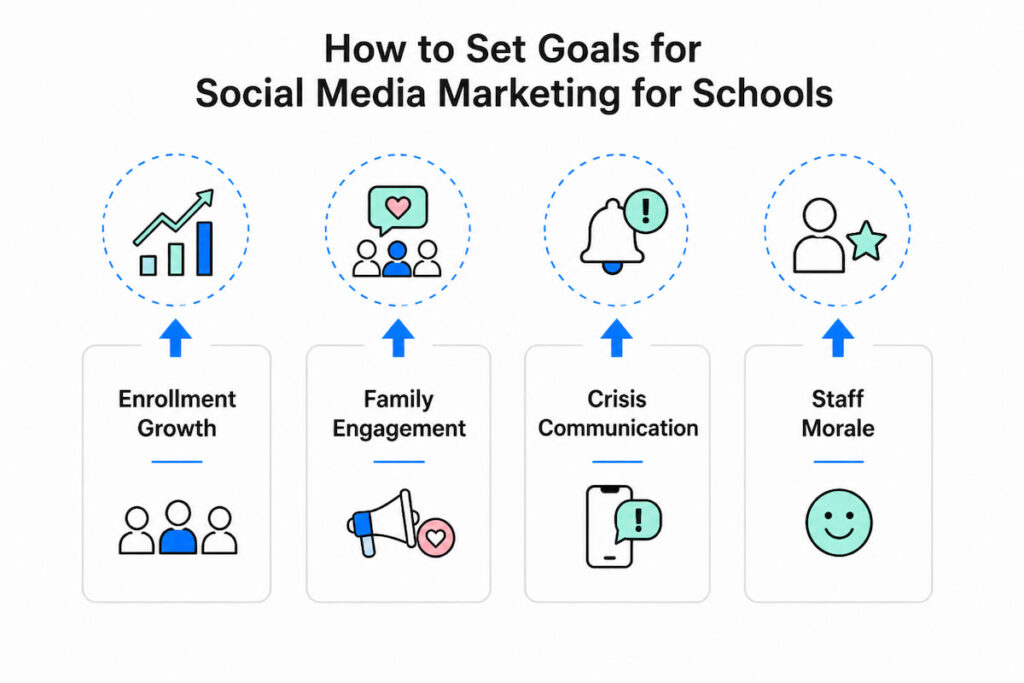
Focus on four main areas and use the SMART framework. Get input from administration and admissions when setting them.
- Enrollment Growth: Generate 50 tour requests via social links by November 1st;
- Family Engagement: Increase event attendance by 20% through Instagram and Facebook promotion;
- Crisis Communication: Inform 90% of followers about delays within 15 minutes.
- Staff Morale: Feature one teacher weekly and improve positive comments by 10%.
Look at your goals every quarter. When a platform or tactic fails to perform, switch to one that does.
How to Choose the Right Platforms for Social Media Marketing for Schools
Trying to use every social platform usually leads to average results. Pick platforms based on your goals and your target audience instead.
Facebook is essential for reaching parents and grandparents. It excels at event promotion and community groups.
Instagram brings your school’s daily energy to life through photos, Stories, and Reels. It’s especially good for engaging prospective families.
LinkedIn supports teacher recruitment and business partnerships by highlighting achievements and job openings.
TikTok is optional and best for high schools. It allows authentic student content, but needs strong moderation.
Use X (Twitter) mainly for fast emergency announcements like delays or closures.
Start with Instagram and Facebook. Add more platforms only when you have dedicated time and people.
Content Strategy in Social Media Marketing for Schools
Strategy needs content. Don’t just post flyers like a bulletin board. Build a content wheel with three pillars: Connection, Education, and Celebration.
Connection (The “Why”)
This content humanizes the institution. Shoot vertical video interviews with the janitor who has worked there for 30 years. Post a “Day in the Life” of the school nurse during flu season. Show the bus driver folding down the wheelchair lift. These posts remind the audience that a school is a family.
Education (The “How”)
Parents want to know what you teach and why. Create short-form explainers. “Why do we use number bonds instead of just memorization?” or “A tour of our updated library makerspace.” This positions the administration as thought leaders and transparent educators.
Celebration (The “Win”)
This is easy, but must be done strategically. Celebrate a chess club victory, a perfect attendance award, or a student who donated their hair to charity. Crucially, always secure photo permission. Use a simple Google Form at registration to opt-in families for “social media sharing.”
The 80/20 Rule
80% of your content should be value-driven (tips, behind-the-scenes, student work). Only 20% should be direct asks (enroll now, donate here, sign up for parent-teacher conferences). If you ask too often, you will be unfollowed.
User-Generated Content (UGC)
Encourage parents to take photos at the fall festival and use a specific hashtag (e.g., #LincolnLeopardsPride). Repost the best ones (with credit). This multiplies your content creation capacity tenfold.
Common Mistakes in Social Media Marketing for Schools
Even careful schools can make these errors. Recognizing them early prevents PR issues and wasted time.
- Don’t ignore negative comments – Deleting or staying silent seems dismissive. Respond publicly to acknowledge concerns, then move the conversation to private messages;
- Get permission before posting – Never share student names, locations, or photos without documented consent. The legal risks are significant;
- Keep your style consistent – Changing profile pictures and using mixed fonts looks unprofessional. Stick to templates for a clean look;
- Don’t assume everyone saw it – Organic reach is low. Boost urgent posts and cross-post to email or other platforms;
- Remember accessibility – Include alt text on images and captions on videos so every parent can access your information.
What Metrics Matter in Social Media Marketing for Schools
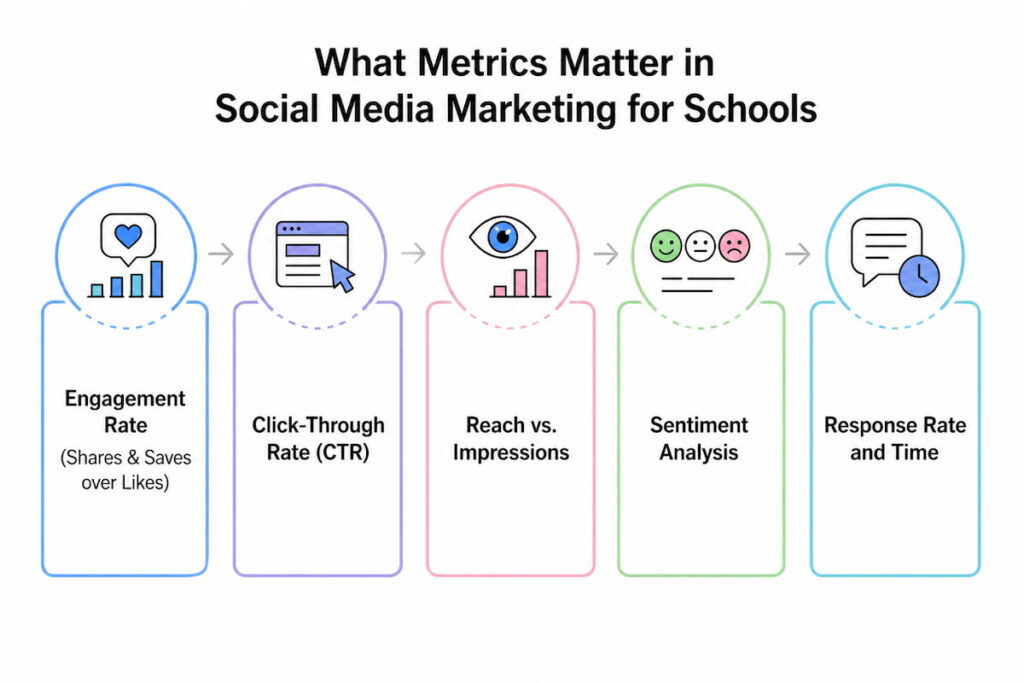
You can measure everything, but you should not. Vanity metrics (followers and likes) feel good, but do not fill classrooms. To prove ROI to the school board, focus on actionable metrics.
Engagement Rate (Shares & Saves over Likes)
For schools, a “Save” is gold. If a parent saves a post about “How to prepare for Kindergarten screenings,” they are using it as a resource. If a grandparent shares a theater performance video, they are extending your reach for free. Aim for a save rate of 1-2% of your followers.
Click-Through Rate (CTR)
This is the definitive enrollment metric. If you post a link to “Virtual Tour Sign Up,” what percentage of viewers click? If CTR is below 0.5%, your call-to-action (CTA) is weak, or the link is buried. Use services like Bitly to track this precisely.
Reach vs. Impressions
Reach is unique viewers; impressions are total views. For a snow day announcement, you want high reach (everyone sees it once). For a “Teacher Appreciation Week” post, you want high impressions (the same people see it multiple times to build goodwill).
Sentiment Analysis
Are comments positive, negative, or neutral? A high volume of negative comments might indicate a systemic issue (like a bullying problem or a bus route failure). Use free tools or manual weekly reviews to scan for emotional trends.
Response Rate and Time
How fast do you reply to DMs? A parent asking for a transcript or a transfer form expects an answer within a few hours. A slow response suggests administrative bloat. Social media is now customer service; measure your speed.
Tools for Social Media Marketing for Schools
Budget is always a constraint in education. The good news is that you do not need an enterprise-level subscription to succeed. Here are essential tools for social media marketing for schools, broken down by function.
For Scheduling and Planning
Later or Buffer. These free-tier tools allow you to schedule a week’s worth of posts on Sunday night. This prevents the school secretary from having to post at 3:00 PM during pickup chaos. You can also preview the Instagram grid layout.
For Graphic Design
Canva for Education. Canva offers a completely free version for educators. It has thousands of templates for “School Closed” graphics, report card reminders, and spirit week flyers. You can lock your brand colors and fonts inside the tool to avoid mistake #3.
For Video Editing
CapCut or InShot. You do not need Adobe Premiere. These mobile apps allow you to add automatic captions (essential for accessibility and mute viewers), transitions, and trending audio.
For Monitoring and Listening
Hootsuite (free tier limited) or Google Alerts. Set up alerts for your school’s name plus “review” or “complaint.” This catches mentions you aren’t tagged in.
For Permission Management
Google Forms + Airtable. Create a simple digital form for parents at registration: “Yes, I allow photos/videos of my child on the public school Facebook page / No, please blur my child.” Integrate this with a spreadsheet so teachers can check the status before posting.
For Hashtag Strategy
RiteTag. Use this to find local hashtags like #BrooklynSchools or #TexasProud. Don’t just use #Education; use niche tags where prospective parents actually search.
Final Thoughts
Social media success for schools is built on trust. Skip the chase for virality and fancy language. Focus instead on consistent posting, honesty, and respectful replies.
Begin with two platforms, three clear goals, and a free scheduler. In six months, you should notice more enrollment inquiries and a friendlier community vibe. Your digital front door is open. Time to welcome people in.